
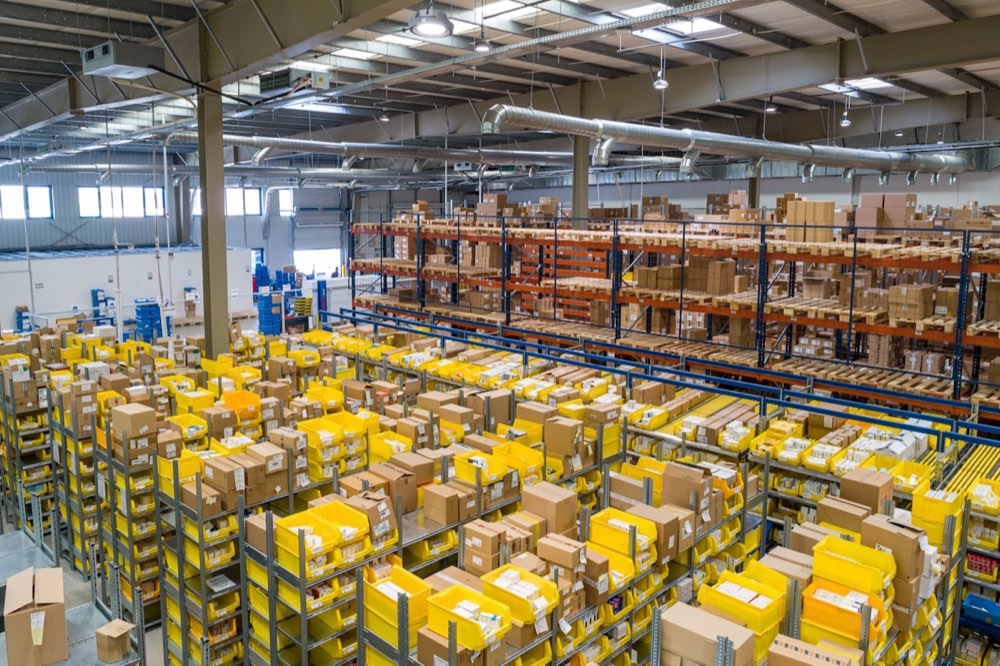
ERP that tells you what's in stock, and where.
No surprises.
Scan-confirmed receiving and dispatch. Inter-warehouse transfers that match themselves. Stock levels that match the shelves, not last week's count.
7 wks
Typical go-live
Bin-level
Stock accuracy
Live
Stock value
Common Challenges
The problems you already know.
Stock levels off by hundreds. Wrong picks. Stock vanishing in transit between locations. ERP fixes this, but only if it's set up the way warehouses really work.
Stock levels never right because receipts and dispatches aren't captured live
Warehouse team confirms stock on paper or at end of shift. By the time the system catches up, picks have already been made against wrong stock levels. Overselling, short picks, and emergency restocks every week.
How we solve it
Barcode scanning at goods receipt, put-away, and dispatch updates stock the moment each move happens. No batch updates. No end-of-shift typing. Stock is right, live.
Pick errors because pickers work from memory or paper lists
Wrong item picked, wrong quantity, wrong bin. Returns cost you. Client disputes follow. The cause is always the same: no digital guide and no system check before goods leave.
How we solve it
Pick lists made by FIFO (oldest first) or FEFO (nearest expiry first) with bin location per line. Pickers scan the bin and item to confirm the pick. Mismatch flags an alert before goods move. Errors drop straight away.
No view of stock by bin, zone, or spot in the warehouse
You know total stock but not where it is. Finding an item means walking the floor. Put-away is informal: goods go where there's space, not where they should.
How we solve it
Bin-level stock set up. Put-away rules say where each item type goes. Reports show quantity by bin, rack, zone, or whole warehouse. Any item can be found in seconds.
Stock between warehouses going missing in transit
Stock moved between warehouses or zones often isn't recorded properly. One location shows a shortage. The other shows extra. The goods are in transit and invisible to both. Monthly stock matching takes days.
How we solve it
Every inter-warehouse transfer creates an in-transit entry that shows stock as moving between source and destination. The receiving location confirms arrival. No stock disappears between locations.
How It Works
Your warehouse, start to finish, in one system.
From inbound dock to outbound dispatch, every move scan-confirmed and recorded live.
Inbound Receipt
Truck arrives. Goods receipt raised against the purchase order. Items scanned and counted. Quality check if needed.
Put-Away
System picks a bin based on put-away rules. Picker scans item and bin to confirm.
Pick List
Sales order creates a pick list with bin locations. Picker scans bin and item on each line.
Pack & Check
Picked items confirmed, packed, and weighed. Packing slip raised per shipment.
Dispatch
Delivery note raised. Items scanned out. Stock leaves the bin, live.
Reporting
Per-client stock reports, ageing, slow-movers, and stock value always current. 3PL billing from real moves.
ERPNext Modules
What we set up for your trade.
Not every part of the system matters for warehouses. These are the ones that do, set up for your layout, your clients, and your throughput.
Barcode Scanning
Scan-based receiving, put-away, picking, and dispatch. Every warehouse move is scan-confirmed before the system updates.
- Goods receipt with barcode scan per item and bin
- Put-away scan confirmed to the right bin
- Pick and dispatch scan checked before goods leave
Bin-Level Inventory
Stock tracked at bin, rack, and zone level inside each warehouse. Put-away rules applied at receipt.
- Unlimited bin locations per warehouse, grouped by zone
- Put-away rules by item type, weight, or fast-moving class
- Stock record by bin for instant location lookup
Inbound Receiving
Goods receipt with optional quality check, batch and serial numbers captured, and auto bin assignment from put-away rules.
- Goods receipt matched to purchase order, variances flagged
- Batch and expiry entered at the dock for perishables
- Quality hold before goods are free to sell
Pick & Pack
System-made pick lists, sorted by bin location, with a scan check at each step. Fewer errors, less walking.
- Pick lists by order, FIFO, FEFO, or batch as needed
- Pick order set by bin to cut travel distance
- Packing confirmed with weight and box count
Multi-Warehouse & Transfers
Stock across many warehouses, free zones, or third-party sites, run in one system with in-transit tracking on every move.
- Unlimited warehouse locations in one system
- Inter-warehouse transfer with in-transit stock visible
- Free zone and mainland stock kept apart for VAT
Stock Valuation & Reporting
Live stock value with ageing reports, slow-mover lists, and per-client reports for 3PL operations.
- FIFO and moving average valuation updated for you
- Stock ageing and slow-mover reports
- Per-client stock reports for 3PL billing
Questions
Questions warehouse operators ask us.
Does the system handle barcode scanning for warehouse work?
Yes. Built-in barcode scanning for goods receipt, put-away, picking, and dispatch. Staff use a handheld scanner or a phone with a camera. Each scan confirms the move and updates stock right away. No separate warehouse tool. The system runs both the ERP and warehouse work in one place.
Can we track stock at bin level inside the warehouse?
Yes. Bin-level stock works out of the box. Set up your warehouse layout, aisles, racks, shelves, bins, as a tree. Stock is tracked at the lowest level you set up. Reports show quantity by bin, rack, zone, or whole warehouse. Put-away rules send incoming stock to the right bin.
We run a 3PL with many clients. Can the system keep stock separate by client?
Yes. Each client's stock sits in its own warehouse or zone. Reports, stock value, and billing are filtered by client. You can print a stock statement for each client showing what they have, by item and bin. 3PL billing can be set up against real moves: receipts, dispatches, and storage days. No hand-calculation.
How does stock transfer work when stock moves between our locations?
You create a Stock Transfer with source warehouse, destination warehouse, items, and quantities. The stock moves to an In-Transit area, visible to both locations but not free to pick at either. When the destination scans the goods in, the stock moves to the destination bin. Nothing goes missing between locations.
Can we cycle-count instead of doing a full wall-to-wall count?
Yes. Stock matching works at any level: full warehouse, zone, rack, or single bins. Run a cycle count on a subset of bins each week. Differences are booked as stock adjustments with a reason. Count history is kept for audit.
Warehouse & WMS ERP
Send us a sketch of your warehouse.
Send us a sketch of your warehouse. Bins, zones, dock layout. We'll show you exactly how put-away rules and pick paths would map to it. No generic demo.
We typically respond within a few hours during UAE business hours.